


Angel: Watch Movies & TV Shows
4.654.93K Reviews
App Specs
- Version
- 26.8.17
- Updated On
- License
- Free
- Downloads
- 10,000,000+
- Developer
- Angel Studios, Inc.
- Categories
- Entertainment
- Platform
- Android, iOS
Screenshots

 Analysis by AppCompare
When I open a streaming app for the first time, I want to know two things quickly: what kind of viewing experience it offers and how soon I can find something worth watching. Angel: Watch Movies & TV Shows is an entertainment app from Angel Studios, Inc., built around films and series rather than games or general-purpose media. It is free to install, though in-app purchases are available, and its Teen age rating is worth checking if younger viewers will be watching with you.
What to expect from the catalog
Angel has grown into a widely used option, with over 10 million installs and an average rating of 4.6 from around 372,000 ratings. Those figures tell me it has found an audience, but the more useful question is whether its viewing style suits yours. I’d approach it as a place to browse for particular stories and releases, not as a promise that it will replace every streaming service you already use.
The app’s identity is tied to Angel Studios and its own entertainment lineup. That can make it appealing if you want to explore titles outside the familiar rotation of large, mainstream catalogs. At the same time, a focused service is not automatically the best choice for someone who wants every major new film or a huge back-catalogue in one place. I’d keep your usual services for that and treat Angel as a distinct destination to check when you’re open to something different.
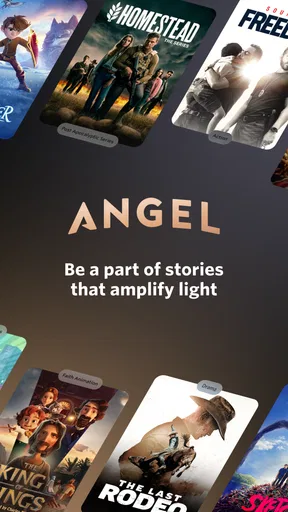
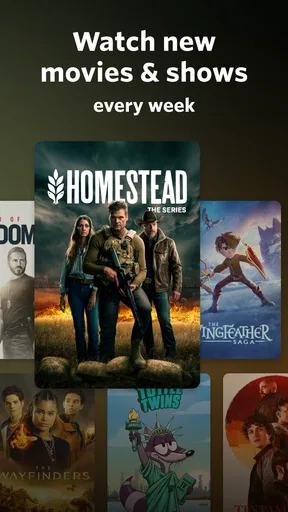
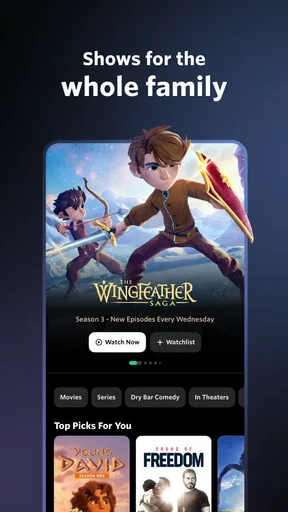
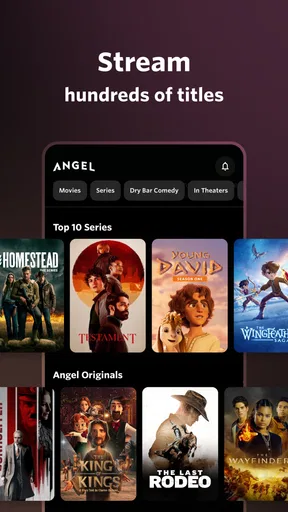
Its store description emphasizes original shows, family movies, and weekly releases. That gives a first-time viewer a practical expectation: there may be a reason to return and see what has arrived, rather than treating the app as a one-time browse. The current version is 26.2.2, and the app supports devices running Android 7.1 or later. If you are setting it up on an older phone, checking the operating-system requirement before you start is a simple way to avoid a frustrating download attempt.
Getting through setup without overthinking it
For a calm first visit, install the app when you have a few minutes to browse rather than waiting until everyone is already settled on the couch. Open it and look at the available titles and categories before deciding what to watch. I find that a quick scan works better than searching for a specific movie immediately, especially when I’m new to a service and don’t yet know how its catalog is organized.
Then narrow the choice by asking what you actually want from that viewing session: a film for the whole household, a series to follow, or something you can watch on your own. That small step prevents the familiar streaming-app loop of opening a title, backing out, and starting the search again. Because the app is free to download but offers in-app purchases ranging from $12 to $179 per item, I would also pay attention to any purchase prompt and make sure I understand what it applies to before confirming anything.
Your first useful session
A good first success is not simply opening a title; it is finding something that fits the time and company you have. If you have a short break, choose a program you can comfortably begin without turning the evening into a commitment. If you’re planning a family watch, check the title and its suitability together rather than assuming that a family-oriented part of the catalog means every option is right for every age. The Teen rating applies to the app, so it is sensible to make viewing choices with your household in mind.
Worth Reading Before You Choose

EA SPORTS FC Mobile 26 Is a Bigger Football Game, but It Takes Time

Flipboard Shows What News Apps Must Do Beyond the Feed

Switching to Android Auto Means Rethinking Your Driving Routine

Google Calendar Makes a Crowded Week Easier to Manage

Ludo King Makes the Most of the Minutes Between Plans

Baby Panda World Brings Quick Play to Modern Phones, but Its Game Library Feels Busy
For example, imagine you finish dinner with twenty minutes free and want to see whether Angel is worth keeping on your home screen. I’d open the catalog, pick a title that genuinely catches my attention, and give it enough time to judge its tone and storytelling rather than hopping between several previews. If it isn’t right for that moment, I’d leave the app knowing what sort of material it offers and return when I’m in the mood for a longer watch. That is a more useful test than expecting the first screen to solve every viewing need.
Where it fits beside other streaming apps
Compared with broad subscription platforms, Angel is best judged by the character of its selection and the reasons you might return, not by whether it has the same breadth. A general service can be easier when you want a familiar blockbuster or a large all-purpose library. Angel makes more sense when you’re willing to browse its own slate and want a different source of films and series. For someone who only wants one app with the widest possible mix, that distinction may be a drawback; for a curious viewer, it can make the catalog feel more purposeful.
It also differs from short-video platforms, where the usual goal is to fill small gaps with quick clips. Angel is better suited to making a deliberate choice and giving a story your attention. I wouldn’t open it expecting an endless stream of bite-sized distractions. Instead, I’d use it when I’m ready to settle on a program, whether that is a planned evening watch or a title I have noted for later.
Small habits that make browsing easier
One useful habit is to decide who is watching before you browse. It changes what counts as a good choice and makes it easier to avoid choosing a title based only on its thumbnail. Another is to keep a mental note of what you already sampled, so a return visit begins with a fresh search rather than repeating the same first few options. If you are sharing the screen with someone else, agree on a rough mood or genre first; that simple conversation can save more time than scrolling through every available row.
Weekly releases also suggest a practical routine: check back when you are ready for something new, rather than opening the app every day out of habit. That approach works especially well if you use Angel alongside other services. You can give its new additions a fair look without feeling that you must replace your regular viewing choices or keep up with everything as soon as it appears.
What to keep in mind before choosing it
The main trade-off is focus. Angel can be a good companion for viewers who are interested in its particular lineup, but it may not satisfy someone who expects a single service to cover every taste in a household. Catalog fit matters more than a high rating: if the kinds of stories available do not appeal to you, popularity alone will not change that. I would browse first, then decide whether it earns a regular place in your routine.
It is also worth separating the free download from the cost of optional purchases. You can install the app without paying upfront, but the listed in-app purchase range means some offers may involve meaningful spending. I recommend slowing down at checkout, reading the purchase screen carefully, and deciding whether the specific item is worth it to you. That is particularly important if a family member or child can access the device.
If you are deciding whether to keep it, ask yourself after your first visit whether you found at least one title you would willingly return to. If yes, Angel has already done something useful: it has added another viewing option without requiring you to reorganize your whole routine. If not, there is no need to force it. A broad streaming alternative may suit you better if your priority is maximum variety, while a short-form app is a better fit for quick, casual viewing.
Have you ever found yourself endlessly scrolling through streaming apps, trying to find something new and worthwhile to watch? Well, let me introduce you to Angel: Watch Movies & TV Shows. This app has quickly become one of my go-tos for discovering fresh content, and I think you’ll find it pretty intriguing too.
Discovering Unique Content
What sets Angel: Watch Movies & TV Shows apart from the rest? It’s all about the unique content. This app specializes in offering a mix of indie films, documentaries, and TV shows that you might not find on mainstream platforms. If you’re tired of the usual blockbuster hits and craving something a bit different, this app is a goldmine.
The interface is clean and intuitive, which makes browsing a breeze. I love the way it categorizes content, with sections like "Hidden Gems" and "Critically Acclaimed." It’s like having a personal curator guiding you through a cinematic journey.
User-Friendly Features
One of the features I appreciate the most is the personalized recommendation system. After watching a few shows or movies, the app starts suggesting content based on your viewing habits. It feels like it understands my taste better than I do! Plus, the option to create watchlists is a handy way to keep track of what I want to see next.
Streaming quality is another strong point. Whether you’re watching on your smartphone or casting to a big screen, the quality remains crisp and smooth. I’ve rarely encountered buffering issues, which is a blessing when you’re in the middle of a gripping documentary.
Community and Social Interaction
Angel also brings a social element into the mix. You can see what’s trending among other users, and even leave comments and reviews. It’s like being part of a community of movie buffs. I’ve discovered some of my favorite films through recommendations from other users.
For those who love to share their thoughts, the app allows you to rate and review what you’ve watched. This feature not only helps other users but also adds a personal touch to your viewing experience. It's like joining a virtual film club where everyone’s opinion matters.
Accessibility and Availability
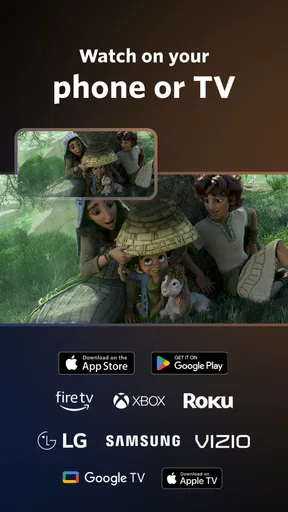
The app is available on both Android and iOS, making it accessible to a wide range of users. Whether you're on a train or lounging at home, you can dive into a world of movies and shows. The download and setup process is straightforward, and you’re greeted with a user-friendly onboarding experience.
One of the things I found particularly impressive is the offline viewing option. You can download content to watch later, which is perfect for those long flights or when you’re off the grid. It ensures that entertainment is always at your fingertips, no matter where you are.
Final Thoughts
In a sea of streaming services, Angel: Watch Movies & TV Shows stands out by offering a fresh take on content consumption. It’s perfect for anyone looking to explore beyond mainstream offerings and dive into a diverse world of storytelling. Whether you’re an indie film enthusiast or just looking to broaden your horizons, this app is definitely worth a try.
So, if you’re ready to shake up your usual viewing routine, give Angel: Watch Movies & TV Shows a shot. You might just find your next favorite film hidden within its virtual shelves.
Pros
- Extensive library of movies and shows.
- User-friendly interface for easy navigation.
- High-quality streaming with minimal buffering.
- Regular updates with new content added.
- Compatible with multiple devices.
Cons
- Limited offline viewing options.
- Ads can interrupt viewing experience.
- Some content requires a subscription.
- Regional restrictions on certain titles.
- Occasional login issues reported.
FAQs for Angel: Watch Movies & TV Shows
What content is available on Angel: Watch Movies & TV Shows?
Angel offers a diverse library of movies and TV shows, ranging from classic films to the latest releases. The app focuses on providing content across various genres, including drama, comedy, action, and documentaries. Users can expect regular updates to the catalog, ensuring fresh and engaging content.
Is Angel: Watch Movies & TV Shows free to use?
Angel offers both free and subscription-based content. While many movies and TV shows are available for free with ads, a premium subscription removes ads and provides access to exclusive content. This flexibility allows users to enjoy the app according to their preferences and budget.
Can I download movies and shows to watch offline?
Yes, Angel allows users to download select movies and TV shows for offline viewing. This feature is particularly useful for users who want to watch their favorite content without an internet connection while traveling or in areas with limited connectivity.
What devices are compatible with Angel: Watch Movies & TV Shows?
Angel is available on both Android and iOS devices, ensuring compatibility with a wide range of smartphones and tablets. The app is designed to offer a seamless experience across different screen sizes and operating systems, making it accessible to a broad audience.
How does Angel ensure content quality and streaming performance?
Angel prioritizes high-quality streaming by using advanced technology to deliver content in HD and 4K where available. The app also employs adaptive streaming techniques to optimize performance based on the user's internet speed, ensuring minimal buffering and a smooth viewing experience.


